
-
×
 Mercury MPM 1.5KVA/1.35KW Rackmount and Tower Smart-UPS
1 × KSh 63,000.00
Mercury MPM 1.5KVA/1.35KW Rackmount and Tower Smart-UPS
1 × KSh 63,000.00 -
×
 Acer X1326awh 4000 lumens projector
1 × KSh 59,400.00
Acer X1326awh 4000 lumens projector
1 × KSh 59,400.00 -
×
 HP 1103 Laptop Keyboard
1 × KSh 2,500.00
HP 1103 Laptop Keyboard
1 × KSh 2,500.00 -
×
![HP Spectre x360 14-EF2013DX Core i7-1355U, 16GB Ram, 512GB SSD, Win 11 Home, 13.5-inch WUXGA Touch, Nightfall black, Fingerprint, Backlit [7P0Q7UA]](data:image/svg+xml,%3Csvg%20viewBox%3D%220%200%20225%20225%22%20xmlns%3D%22http%3A%2F%2Fwww.w3.org%2F2000%2Fsvg%22%3E%3C%2Fsvg%3E) HP Spectre x360 14-EF2013DX Core i7-1355U, 16GB Ram, 512GB SSD, Win 11 Home, 13.5-inch WUXGA Touch, Nightfall black, Fingerprint, Backlit [7P0Q7UA]
1 × KSh 176,000.00
HP Spectre x360 14-EF2013DX Core i7-1355U, 16GB Ram, 512GB SSD, Win 11 Home, 13.5-inch WUXGA Touch, Nightfall black, Fingerprint, Backlit [7P0Q7UA]
1 × KSh 176,000.00
 Acer X1326awh 4000 lumens projector
 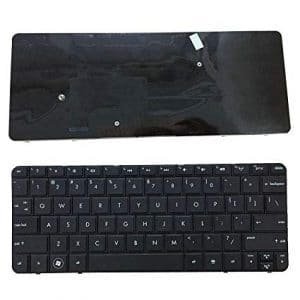 HP 1103 Laptop Keyboard
 Sale!
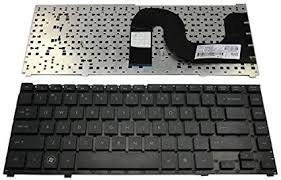
HP ProBook 4310s – 4311S Laptop
Original price was: KSh 3,000.00.KSh 2,500.00Current price is: KSh 2,500.00.
- Genuine Quality Product
- Tested Before Shipping
- Compatible For Specific Models
- Picture is For Reference Only
- SellZone is Registered Trademark of Smart Business Solutions
Description
HP ProBook 4310s – 4311S Laptop TDK Ltd.
HP ProBook 4310s – 4311S Laptop keys’ slightly textured, scratch-resistant finish, and their comfortable spacing. Unlike the 15- and 17-inch versions of the ProBook, the 4310s lacks a number pad–not that we expect one on a 13-inch system.
HP ProBook 4310s keyboard is spill-resistant, to boot. On the other hand, once we started pounding out documents a bit more furiously, the keyboard flexed a little. Then again, this might have something to do with the fact that we tested a preproduction unit. HP says that the final units offer structural changes designed to reduce the keyboard’s flex.
HP ProBook 4310s keyboard 2.8 x 1.4-inch touchpad is plenty large, and the rubbery texture provides the right amount of friction. The touch buttons–like those on the other ProBook models–feel like trap doors. Instead of being straightforward push buttons, they’re hinged at the top, so only the part closest to the edge of the notebook depresses. We would have preferred traditional buttons. They’re smaller on the 4310s than on the 4510 and 4710, but are still awkward.
Reviews (0)
Be the first to review “HP ProBook 4310s – 4311S Laptop”
Related products
Sale!
Laptop Replacement Keyboards
Original price was: KSh 3,000.00.KSh 2,500.00Current price is: KSh 2,500.00.
Sale!

Laptop Replacement Keyboards
Original price was: KSh 3,000.00.KSh 2,500.00Current price is: KSh 2,500.00.
Sale!

Laptop Replacement Keyboards
Original price was: KSh 5,000.00.KSh 4,500.00Current price is: KSh 4,500.00.
Sale!
Laptop Replacement Keyboards
Original price was: KSh 3,000.00.KSh 2,500.00Current price is: KSh 2,500.00.
Sale!
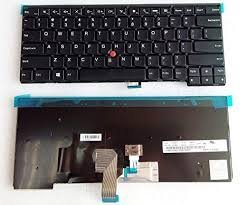
Laptop Replacement Keyboards
Original price was: KSh 5,000.00.KSh 4,500.00Current price is: KSh 4,500.00.
Sale!
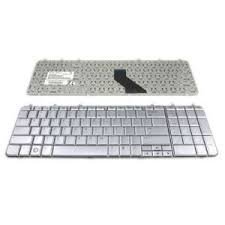
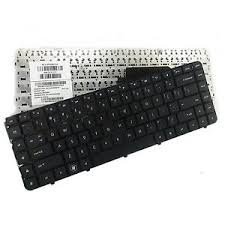
Laptop Replacement Keyboards
Original price was: KSh 3,500.00.KSh 3,200.00Current price is: KSh 3,200.00.
Sale!
![HP Spectre x360 14-EF2013DX Core i7-1355U, 16GB Ram, 512GB SSD, Win 11 Home, 13.5-inch WUXGA Touch, Nightfall black, Fingerprint, Backlit [7P0Q7UA]](https://www.kenya-tech-store.co.ke/wp-content/uploads/2026/01/HP-Spectre-x360-14-EF2013DX-Core-i7-1355U-16GB-Ram-512GB-SSD-Win-11-Home-13.5-inch-WUXGA-Touch-Nightfall-black-Fingerprint-Backlit-7P0Q7UA.jpeg)
Laptop Replacement Keyboards
Original price was: KSh 180,000.00.KSh 176,000.00Current price is: KSh 176,000.00.
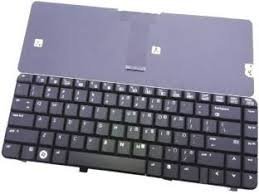
Reviews
There are no reviews yet.